
What happens to one contract, and what the app does at each step
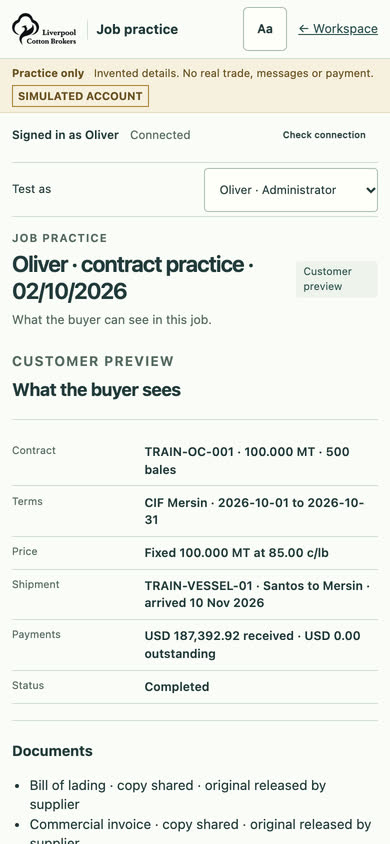
Every picture below is the real practice screen, taken from a complete run of this job on a phone-sized screen. You can do the same run yourself.
- Working now you can do it in the practice today
- Proposed planned next, not built yet
- Your judgement a person decides; the app records it
-
1 · Contract
The supplier sends the contract
Arrives as: confirmation email with the contract PDF.
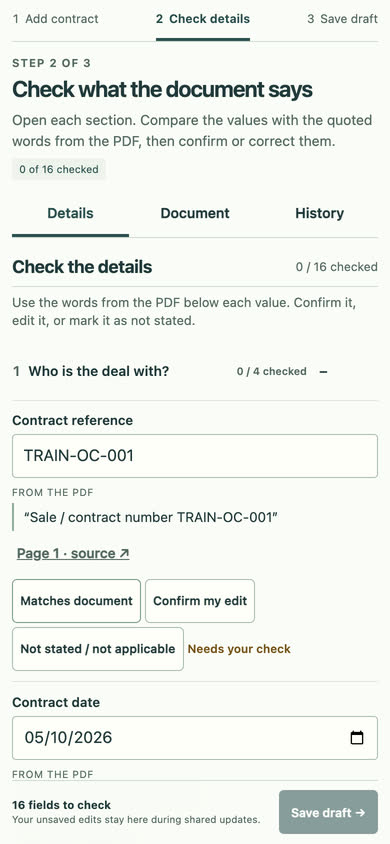
The app: reads the PDF itself and suggests 16 details, each with the words it found. You confirm or correct every one.
Working now PDF added directly on the phone. Proposed the email arriving in a watched inbox automatically.
-
2 · Agree
The deal is agreed
Arrives as: the WhatsApp negotiation and the supplier's confirmation email.
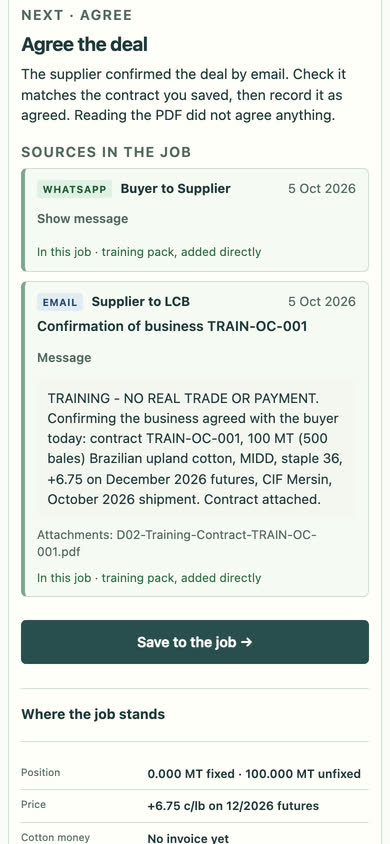
The app: refuses to mark the deal agreed if the saved contract is missing anything. Reading the PDF never agrees a deal on its own.
Working now Your judgement
-
3 · Price
The price is fixed
Arrives as: the buyer's instruction on WhatsApp, then the supplier's completed-fill email.
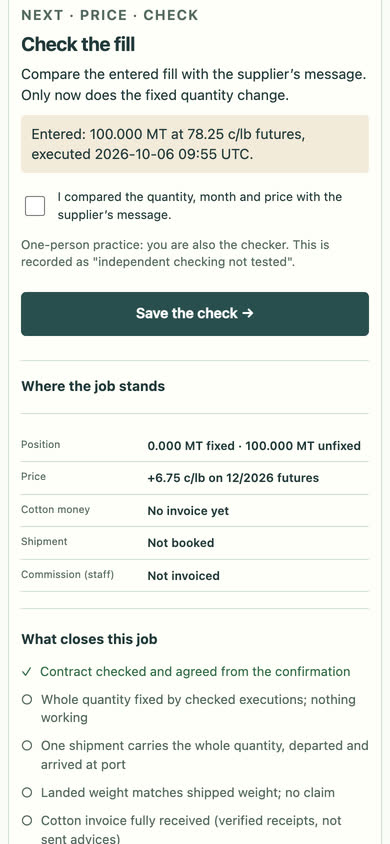
The app: an instruction changes nothing. The fill changes the position only after it is checked. Fixed and unfixed tonnes and the final price follow from the check.
Working now Your judgement In a one-person practice, "independent checking not tested" is recorded.
-
4 · Invoice and booking
Proforma, deposit and booking
Arrives as: proforma PDF, booking email, the buyer's "deposit sent" advice, then the supplier's "received" email.
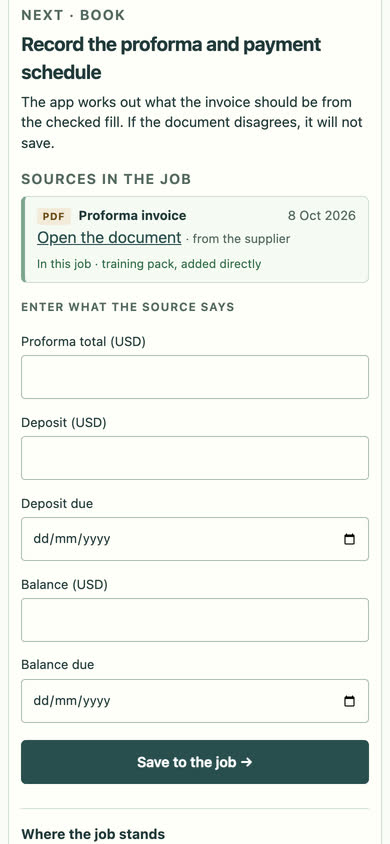
The app: works out what the invoice must be from the checked fill, and will not save a proforma that disagrees. "Sent" never counts as money received.
Working now
-
5 · Ship
Departure and shipping documents
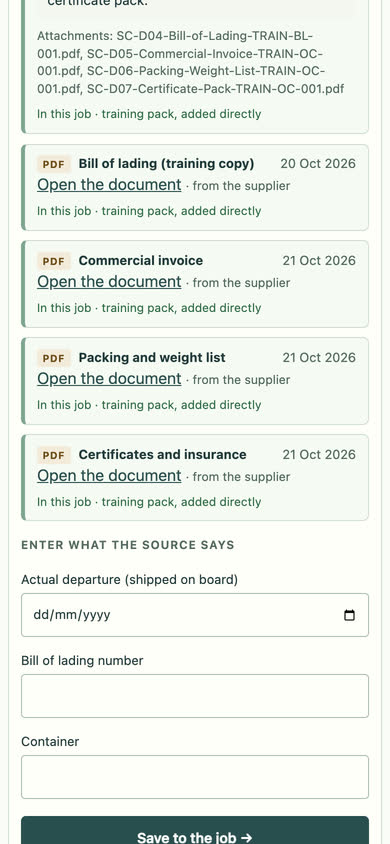
Arrives as: departure email with the bill of lading, invoice, packing list and certificates.
The app: in this scenario, departure needs the deposit received first. Each document is checked against the shipment: BL and container, invoice total, bales and weight.
Working now Documents other than the contract are checked by a person; the app does not read them.
-
6 · Track
ETA check and buyer update
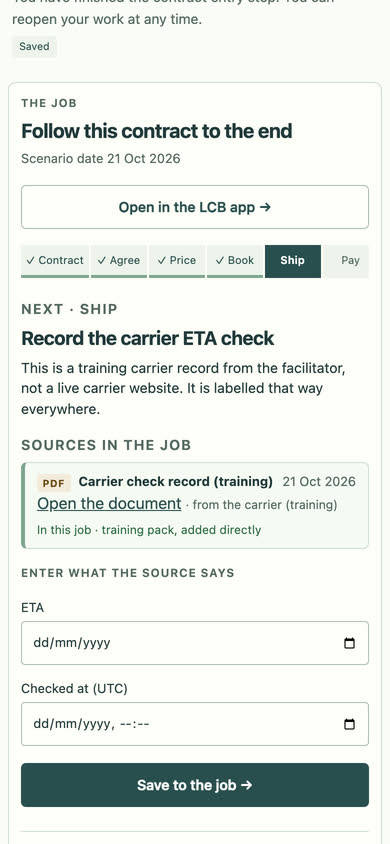
Arrives as: a carrier check record. In training this comes from the facilitator, and it is labelled that way; no live carrier is contacted.
The app: updates the arrival calendar, shares checked copies with the buyer and drafts the update. You send it yourself.
Working now Proposed sending the update from the app, and live carrier checks.
-
7 · Pay
Balance paid, originals released
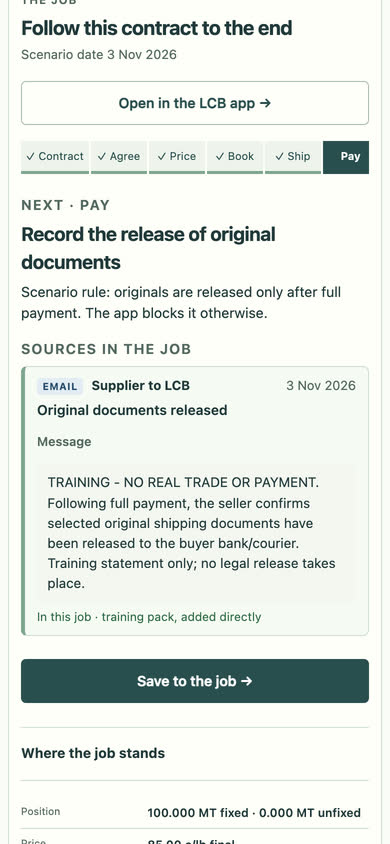
Arrives as: the buyer's balance advice, the supplier's receipt, then the supplier's release confirmation.
The app: in this scenario, originals can be released only after full payment is received. It blocks the step otherwise.
Working now
-
8 · Arrive
Arrival at the destination port
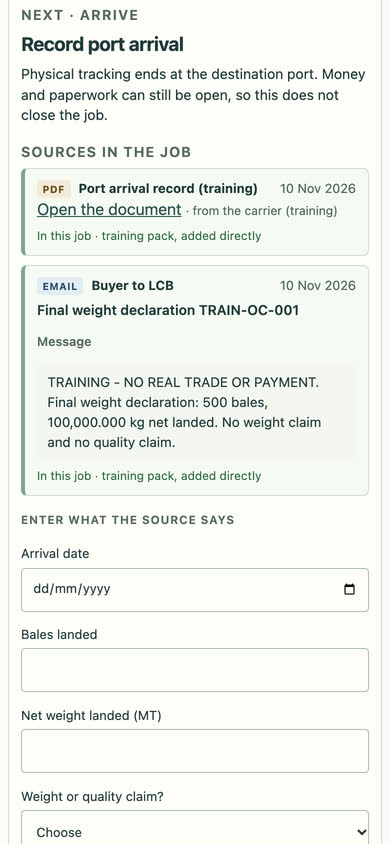
Arrives as: port arrival record and the buyer's final weight, with no claim.
The app: physical tracking ends at the port. The job stays open while money or paperwork is outstanding, such as LCB's commission (staff only).
Working now
-
9 · Close
The job is finished
The app: checks seven conditions from the saved records: contract agreed, price fully fixed, shipment landed, weight matching, cotton paid, commission received and documents complete. There is no manual "closed" switch. The summary downloads as a spreadsheet.
Working now
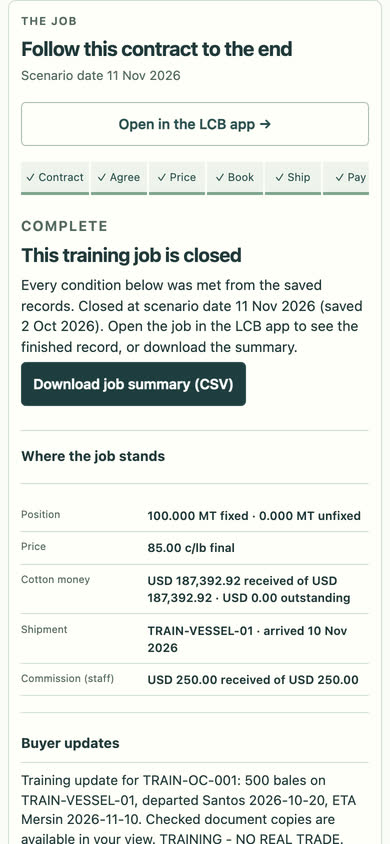
The same job inside the LCB app
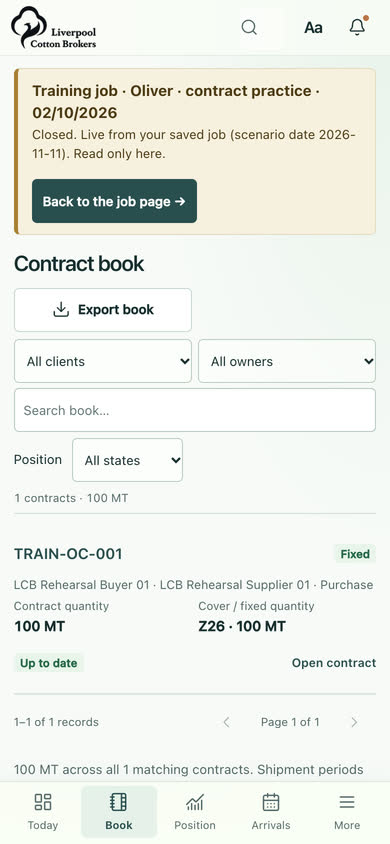
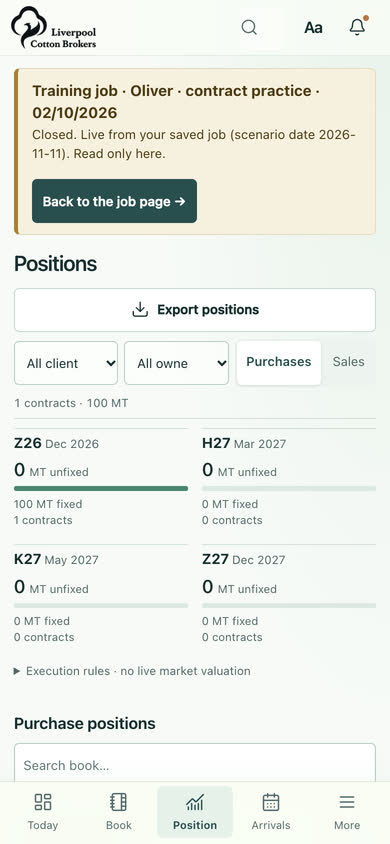
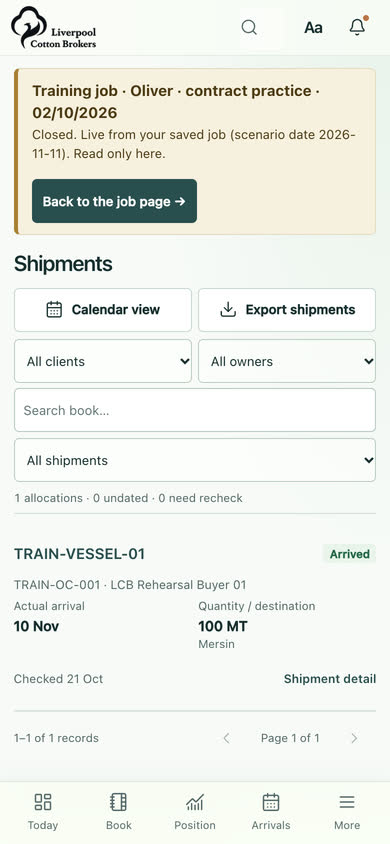
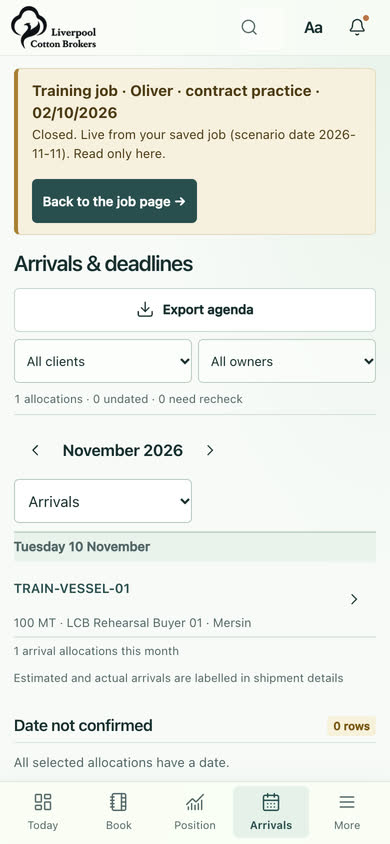
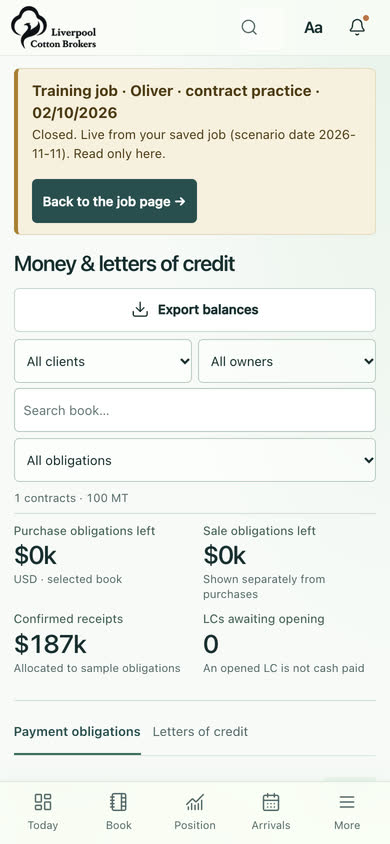
Open the job from the practice and the existing app shows it in the contract book, positions, shipments, calendar and money, updating as you go. It is read-only there.
What this one job does not prove
- Messages and documents arriving by email or WhatsApp automatically. In the practice they come from a training pack and are added by the tester.
- The second book, outright prices, letters of credit, amendments, split shipments, part fills, claims and changed payment terms.
- Reading documents other than the contract.
- The payment, release and commission rules here are this training scenario's terms, for LCB to confirm or correct. They are not general rules.